
Veo 3.1 · Kling 3.0 · Seedance 2.5

SnapGen AI Video GeneratorText or photo in. Video out.

An AI video generator for text to video and image to video. Pick a top model, add sound, choose 9:16, 16:9 and more, and download your video with no watermark.

◆ 45 credits

Veo 3.1 Fast videos always include sound. One price for any length.

Try

What you can make

Everything you need to make AI video.

SnapGen AI brings text to video, image to video, start and end frames and native sound together in one simple generator, powered by the best AI video models.

01 · Text to video

Turn text into video with SnapGen AI

Describe a scene in plain English: who's in it, what happens and how the camera moves. The SnapGen AI video generator turns your words into a cinematic clip in a few minutes. No footage, no timeline, no editing skills.

  • Write one subject, one action and one camera move
  • 2 to 30 seconds, from 720p up to 4K
  • Vertical 9:16, landscape 16:9, square 1:1 and more
Text to video

PromptA luxury glass perfume bottle labeled “Atlas” bursts out of a splash of water in slow motion, then rests on soft pink rose petals, premium studio commercial.

02 · Image to video

Bring any photo to life

Upload a portrait, a pet, a product shot or an illustration and describe the motion. Image to video keeps faces, outfits and products consistent while the scene starts to move. Your photo becomes the first frame.

  • JPEG, PNG or WebP, up to 10 MB
  • The video follows your photo's framing
  • Clear, well-lit photos give the best results
Image to video
◧ Your photo → video

PromptThe boy pedals his pink bike past the glowing city at night, his red scarf and the puppy’s ears flapping in the wind.

03 · Start & end frame

Set the first frame and the last

Add an end frame and SnapGen AI fills in the motion between the two images. It's perfect for transformations, before-and-after reveals and smooth transitions from one scene to the next.

  • Works with Kling 3.0, Veo 3.1 Fast, Seedance 2.5 and Wan 2.7
  • Use two images with the same aspect ratio
  • Describe how to get from the first frame to the last
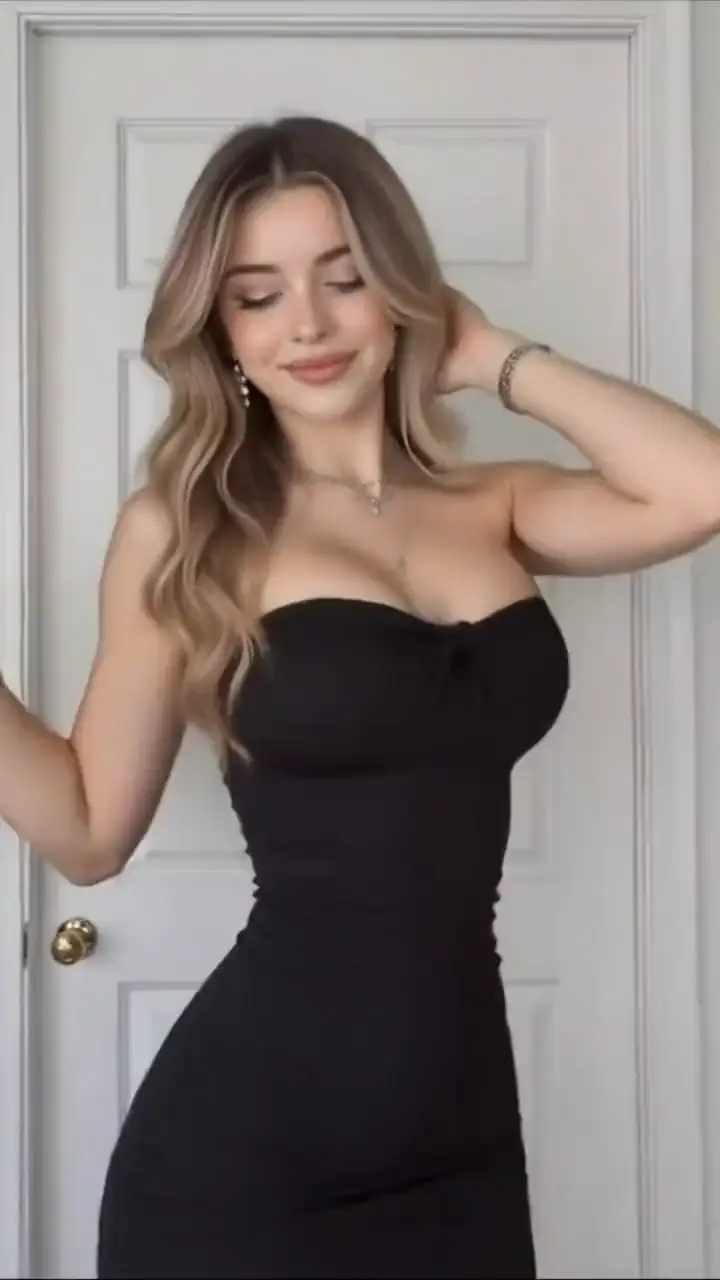
Start & end frames
Start→End

PromptStart frame: she poses with one hand in her hair. End frame: she leans toward the camera, laughing. She dances from one pose to the other in a bright white room.

04 · Native sound

AI video with sound, made in one pass

Veo 3.1, Kling 3.0 and Seedance 2.5 generate ambient sound, effects and even dialogue together with the picture. Your clip is ready to post without hunting for stock audio.

  • Turn sound on or off for each video
  • Describe the sound in your prompt: rain, a crowd, a line of dialogue
  • Download an MP4 with audio, ready for any app
Video with sound
♪ Sound on

PromptClose-up of a cyborg girl in a glass helmet. She opens her eyes, looks into the camera and speaks softly, city lights glowing behind her.

05 · Top models

Veo 3.1, Kling 3.0, Seedance 2.5. One generator.

Every AI video model has its strengths. Switch between them from the same prompt box, compare the results and keep the one you like. Each model shows its credit price before you generate, so there are no surprises.

  • Veo 3.1 Fast for photoreal scenes with audio
  • Kling 3.0 for cinematic motion, up to 4K
  • Seedance 2.5 for long, coherent shots
Pick any model
Veo 3.1Kling 3.0Seedance 2.5

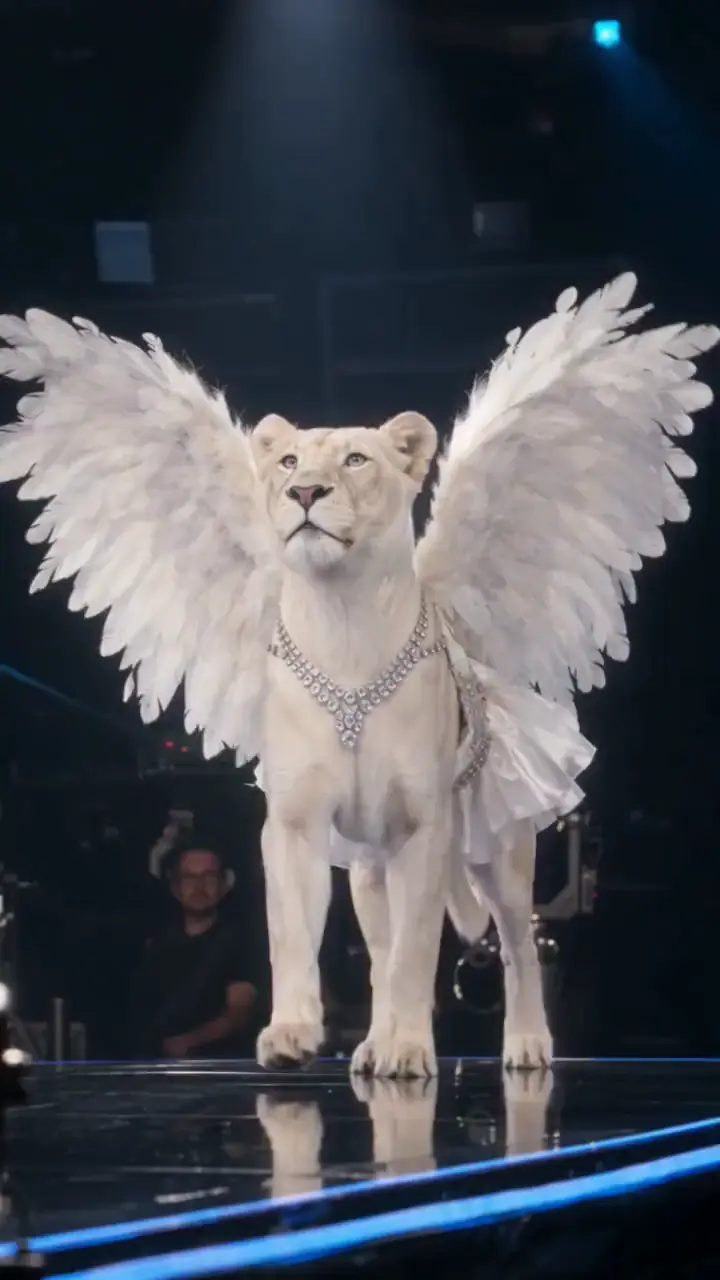
PromptA white lion with angel wings walks across a glowing stage as the crowd cheers, cinematic stage lighting.

06 · Made for social

Vertical videos for TikTok, Reels and Shorts

Generate in 9:16, 16:9 or 1:1 and download a clean MP4 with no watermark. Post it on TikTok, Instagram Reels or YouTube Shorts, or use it in your ads. Commercial use is included.

  • No watermark on every video
  • Commercial use included
  • Download from History any time within 7 days
TikTok
9:16
Shorts

How it works

How to make a SnapGen AI video in three steps.

  1. 01

    Write a prompt or upload a photo

    Describe the scene, or add a photo as the first frame. Start simple: one subject, one action, one camera move.

  2. 02

    Pick a model and settings

    Choose a model, length, quality and aspect ratio. The credit price updates as you go, before you spend anything.

  3. 03

    Generate and download

    Most videos are ready in a few minutes. Stay on the page or come back later. Every video waits for you in History.

Models & pricing

Pick the right model for every shot.

Every model is ready to use with the same prompt box. Prices are in credits per video, and failed videos are refunded automatically.

  • Kling 3.0hotFrom ◆ 65 credits

    Cinematic motion with sound, up to 15s

    Modes
    Text · Image · End frame
    Length
    3–15s
    Max quality
    4K
    Sound
    On / off
  • Veo 3.1 FastFrom ◆ 45 credits

    Google · photoreal video with audio

    Modes
    Text · Image · End frame
    Length
    4–8s
    Max quality
    1080p
    Sound
    Always
  • Seedance 2.5newFrom ◆ 170 credits

    Long, coherent shots with native audio, up to 30s

    Modes
    Text · Image · End frame
    Length
    4–30s
    Max quality
    720p
    Sound
    On / off
  • Hailuo 2.3From ◆ 45 credits

    Expressive faces · image to video only

    Modes
    Image
    Length
    6–10s
    Max quality
    1080p
    Sound
    No
  • Wan 2.7From ◆ 50 credits

    Fast and affordable

    Modes
    Text · Image · End frame
    Length
    2–15s
    Max quality
    1080p
    Sound
    No

“From” is the price of one video at the lowest settings. Longer and higher-resolution videos cost more. The exact price always shows before you generate.

Pricing

Simple credits, no surprises.

Everything runs on credits. Subscribe for a monthly allowance, or buy a pack when you need more.

Already have an account? Sign in

Starter

Try every model

$9.90$8.25/ month

Billed $99 yearly · save $19.80

1,200 credits / month

All 14,400 credits are added when you pay

≈ 26 videos*

  • Every model and mode
  • No watermark, commercial use
  • Credits never expire
  • Cancel anytime
Recommended

Creator

Post a few times a week

$24.90$20.75/ month

Billed $249 yearly · save $49.80

3,500 credits / month

All 42,000 credits are added when you pay

≈ 77 videos*

  • Every model and mode
  • No watermark, commercial use
  • Credits never expire
  • Cancel anytime

Pro

Create every day

$59.90$49.92/ month

Billed $599 yearly · save $119.80

9,000 credits / month

All 108,000 credits are added when you pay

≈ 200 videos*

  • Every model and mode
  • No watermark, commercial use
  • Credits never expire
  • Cancel anytime

* Video counts are estimates based on Veo 3.1 Fast (720p · 8s). Other models and settings use more or fewer credits.

  • VISA
  • AMERICANEXPRESS
  • Apple Pay
  • GPay
  • link

Secure checkout · 256-bit SSL encryption

Payments are processed by Stripe. We never see your card details. More local payment methods are available at checkout.

Made for

An AI video maker for everyone.

  • Content creators

    Post fresh clips every day without filming, editing or buying stock footage.

  • Marketers

    Test ad ideas in minutes and make a version for every platform and audience.

  • Online sellers

    Turn product photos into short videos for your store, TikTok Shop or ads.

  • Storytellers

    Visualize scenes, storyboards and music videos before a single day of shooting.

  • Teachers

    Bring history, science and stories to life with short videos for class.

  • Just for fun

    Animate family photos, pets and memes, and surprise your friends.

Why SnapGen AI

Why creators choose SnapGen AI.

  • Top models in one place

    Veo, Kling, Seedance, Hailuo and Wan, with no separate accounts or subscriptions.

  • See the price first

    Every video shows its credit price before you generate. No hidden costs.

  • Failed? Refunded.

    If a video fails, your credits go back automatically. You only pay for results.

  • No watermark

    Download clean MP4 files and use them anywhere, including commercial projects.

  • Credits never expire

    Buy once and create whenever you like. Unused credits stay in your balance.

  • Your photos stay private

    Uploads are used only to make your video, deleted after 7 days and never used for training.

FAQ

SnapGen AI video: questions, answered.

What is SnapGen AI?

SnapGen AI is an online AI video generator. Type a prompt or upload a photo, choose a model such as Veo 3.1, Kling 3.0 or Seedance 2.5, and get a video in a few minutes. There is no software to install.

Is SnapGen AI free to use?

Creating an account is free. Videos are paid for with credits, and you see the exact price before you generate. Plans start at $9.90 a month, and credit packs start at $9.90 and never expire. If a video fails, your credits come back automatically.

How do I turn text into a video?

Choose Text to video and describe the scene: the subject, the action, the setting and the camera move. Pick a model, length and aspect ratio, then click Generate.

How do I turn a photo into a video?

Choose Image to video, upload a JPEG, PNG or WebP image up to 10 MB as the start frame, describe the motion you want and click Generate. Some models also accept an end frame.

Which AI video models can I use?

Veo 3.1 Fast, Kling 3.0, Seedance 2.5, Hailuo 2.3 and Wan 2.7. We add new models as they are released.

Which lengths, resolutions and aspect ratios are available?

Videos run from 2 to 30 seconds depending on the model, in resolutions from 480p up to 4K. Text to video supports 9:16, 16:9 and 1:1, and some models also offer 4:3, 3:4 and 21:9. Image to video follows the framing of your photo.

Will my video include sound?

Veo 3.1 Fast always includes sound. Kling 3.0 and Seedance 2.5 let you turn sound on or off. Hailuo 2.3 and Wan 2.7 make silent videos.

What if a generation fails?

The credits go back to your balance automatically. You only pay for videos you get.

Can I use the videos commercially? Is there a watermark?

There is no watermark, and you can use your videos for personal and commercial projects, as long as you follow our Terms.

How long are my videos kept?

Videos stay in History for 7 days, so download the ones you want to keep before then. Uploaded photos are deleted after 7 days and are never used to train AI models.

Do credits expire?

No. Credits from plans and packs stay in your balance until you use them.

Do I need video editing experience?

No. If you can describe a scene in a sentence, you can make a video. Start with one of the example prompts and change one detail at a time.

Your next video is one prompt away.

Write a prompt or upload a photo, and let SnapGen AI do the rest.

No watermark · Credits never expire · Failed? Refunded.